User Experience Design Overview
Project Team Members
Casey Pelz: designer and researcher
Sam Grunebaum: designer and researcher
Ryan Schmidt: designer and researcher
Problem and Solution Overview
SWCMA tackles the problem of wayfinding at WCMA – whether within the gallery walls or in the collection of over 15,000 objects, our aim is to make our users the deciders of their own experience and give them ways to remember it that are both meaningful and tangible.
We have chosen to do this with a mobile application that allows users to track and save their paths through the museum while recording the pieces that catch their eye and saving them to a personal profile – in this way we give users the agency to try different paths through the museum and get creative with how they explore while recording everything that catches their eye. The application generates bespoke, interpretively designed routes that are both maps and artwork in their own right – these routes depict the users physical movement through the museum and note special places that the user chose to memorialize by taking pictures. The application also affords the option to send an image of a route or a favorite object to a WCMA printer that will produce a postcard-like printout to be kept as a souvenir.
Initial Paper Prototype
In its first iteration, our paper prototype reflected our initial idea to implement the design on a system of kiosks and a mobile app. The general idea was that the mobile app would be used solely to gather personal data about the user’s visit while in the exhibits, and then this information would be uploaded to the kiosks where the user would be able to perform the primary interactions with the design. While we understood this hybrid platform system would be complicated, we thought it would help to keep people focussed on the art, not their phones, while in the actual exhibits. Thus, our paper prototype was a series of both mobile app and kiosk screens, which in combination performed the two tasks of providing agency in one’s museum visit, and learning about the curator’s perspective and vision for the exhibit. Essentially, the app would track the user’s physical journey through the museum, then the data would be uploaded to the kiosk at the end so they could print, share, or save a creative interpretation of their movement through the exhibits. Along the way the user would receive GPS triggered “curator notifications” which would tell them about their current location in the exhibit. They would also take pictures (with a camera built into the app) of pieces they particularly liked or disliked, upload those preferences to the kiosk, and then see similar pieces in the entirety of WCMA’s collection (digital and in-museum) and routes containing said pieces. See the inital paper prototype here.
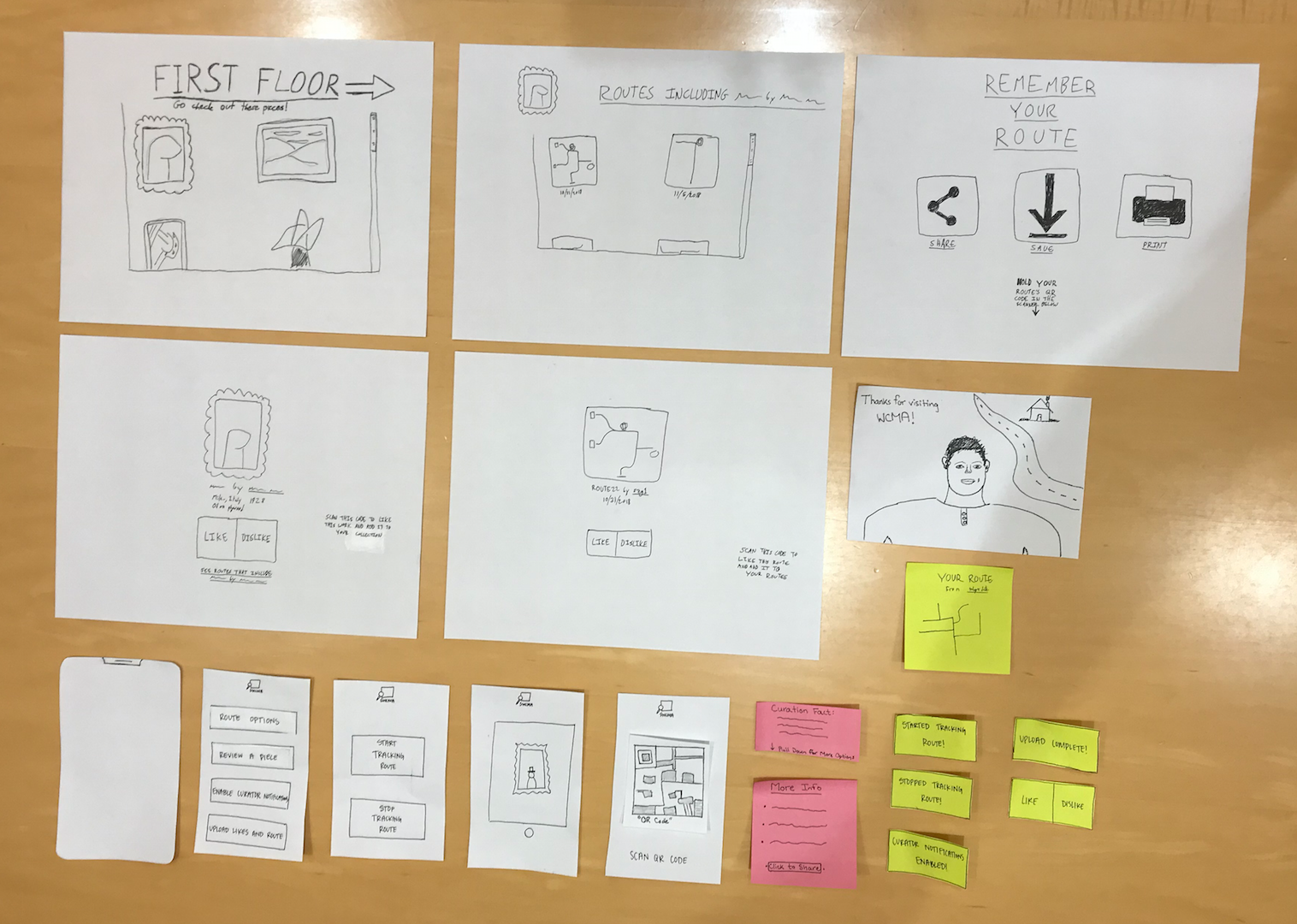 Complete Initial Paper Prototype
Testing Process
Our testing method consisted primarily of Heuristic Evaluations, Usability Tests, and one Cognitive Walk-Through we performed ourselves. The Heuristic Evaluations were performed by AM, GM, and MM. We walked through each task of our design with one member of our team operating the prototype and asked the evaluators to take notes on which heuristics they felt were violated and at what severity. The complete Heuristic Evaluations can be viewed here. For the Usability Tests we selected a handful of participants of various backgrounds and with varying knowledge of art and technology. However, there were a few things all the participants had in common: none of them had ever done usability testing before or had ever designed technology, and each of them performed the test in the same quiet setting. When we ran the tests, Casey acted as the computer, changing the screens according to user input, Sam took notes on the user’s feedback, and Ryan rested his concussed brain. In the first iterations of testing the users were given very little initial prompting, but were instead told to basically pretend as though they were visiting a museum and to interact with the design as they saw fit, all while giving feedback if anything ever seemed confusing or very intuitive. As the tests progressed and our prototype changed, we started giving more specific prompts as we realized the users were not using the design as we had hoped, or were focussing entirely on what we intended to be trivial processes. Additionally, we interacted more with the participants during the test as we found clarifying a small detail could help illuminate greater issues to address. Finally, we performed the Cognitive Walk-Through before our final round of Usability Tests and discovered that some things we thought were clear or unimportant in our design actually had the potential to be points of great confusion. This was also the point at which we abandoned the kiosk aspect of our design and transitioned it all to the mobile app, making the final Usability Tests a little rocky given the freshness of our design. See specifics of each Usability test here.
Testing Results
Our heuristic evaluations yielded fairly general information about our design that helped us with including more feedback, options to go back, and better signifiers for certain features. It also suggested to us that kiosks are confusing for users and potentially unnecessary for our tasks. Our first test and the intensive cognitive walkthrough we performed afterwards yielded crucial information and perspective on previous design decisions, such as the inclusion of bespoke hardware in the form of kiosks located throughout the museum. This heavily influenced our goals going into the next two rounds of usability testing – we removed the kiosks from the design, deciding to focus only on making the mobile application more streamlined in its support for our original task of “increased agency in museum experience” and for our new task of “continued engagement with the museum and the user’s favorite pieces” (our second task had previously been “learning about the curator’s perspective”). After making these fundamental changes to our design, we rethought our focus in our usability tests and decided to modify our testing methods to give our participants free reign to use the app to accomplish vaguely stated tasks such as “respond to a piece of artwork,” “save a work you like for later,” and “look at some past routes from other people’s museum visits.” We also decided to widen the scope of our testing by choosing one participant who is a Williams student with a self-professed interest in art and museums and making our final participant a non-Williams student. These tests revealed crucial information about a general lack of interest in “insight into curator motivations” (at least, insofar as could be conveyed by notifications on a mobile app) as well as negative responses to the option of liking/disliking works of art. We have removed these features in our final prototype and have redesigned our home page to increase the clarity of our design’s functionality and the purpose behind these options – we responded to a general sense that participants were confused by certain options by streamlining our front page and removing layers of obfuscation. The details of these changes will be described in the following section on the Final Paper Prototype.
Final Paper Prototype
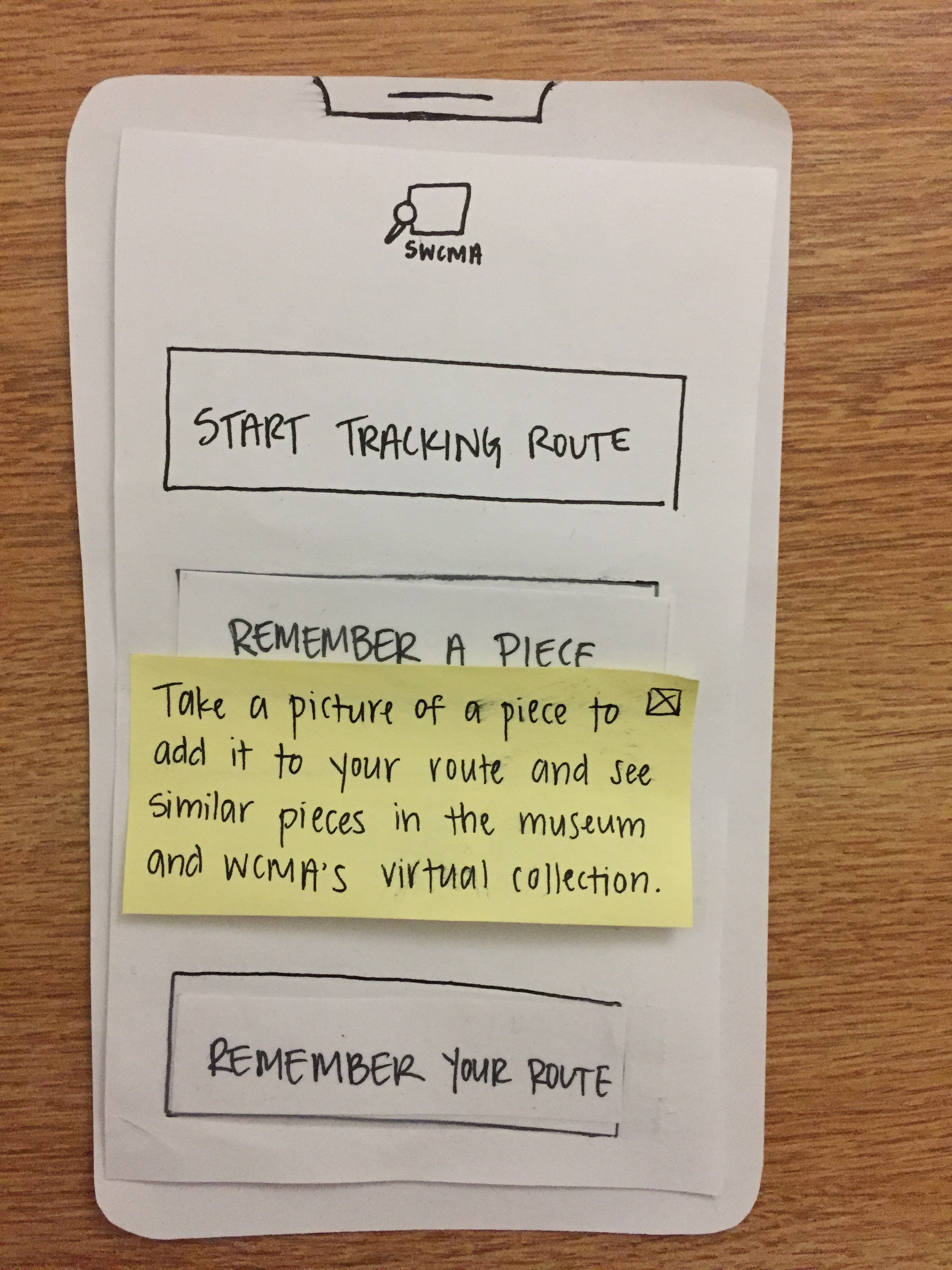
Our primary tasks, the evolution of which is described in the previous write-up for Testing Results, are “Increased agency in user museum experience” and “continued engagement with the museum and/or the collection after visit.” We have changed the “Save/Share/Print” button for routes to say “Remember Your Route,” a direct reference to our task of continued engagement with the museum experience, and have changed the “Review a Piece” button to “Remember a Piece,” which corresponds more clearly with the app’s built in camera and the adding of a piece to one’s route. This, in addition to removing the “Route Options” menu in favor of having the “Start Tracking Route” button appear directly on the home page, have enabled us to remove layers of obfuscation from our design and make it more streamlined and clearly related to our tasks. We have also included feedback/documentation in the form of “Help” suggestions that appear when users hold down certain buttons to see what they do as well as appearing at the initial opening of the app as a form of walkthrough. The relevant pages are shown below.
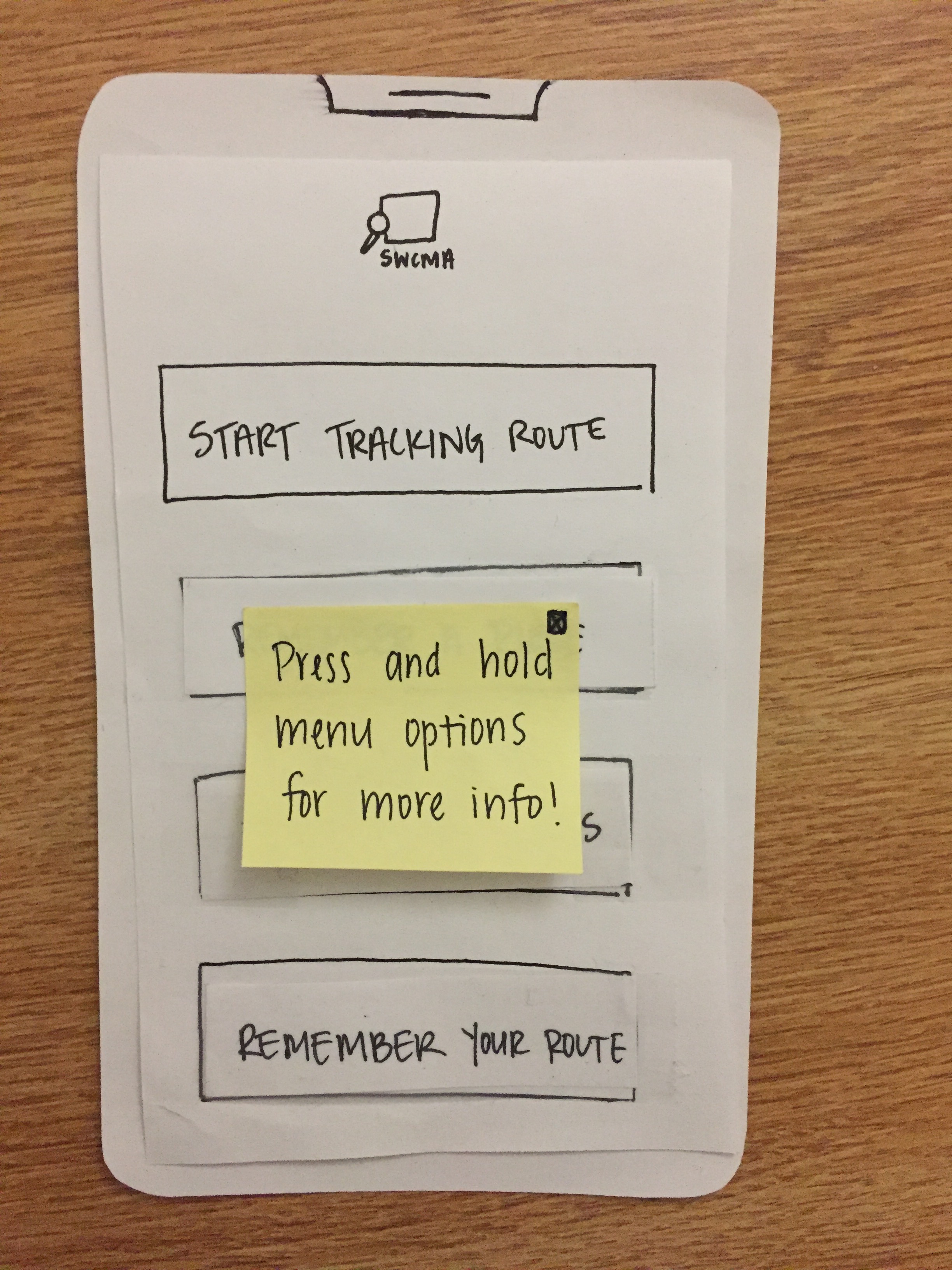
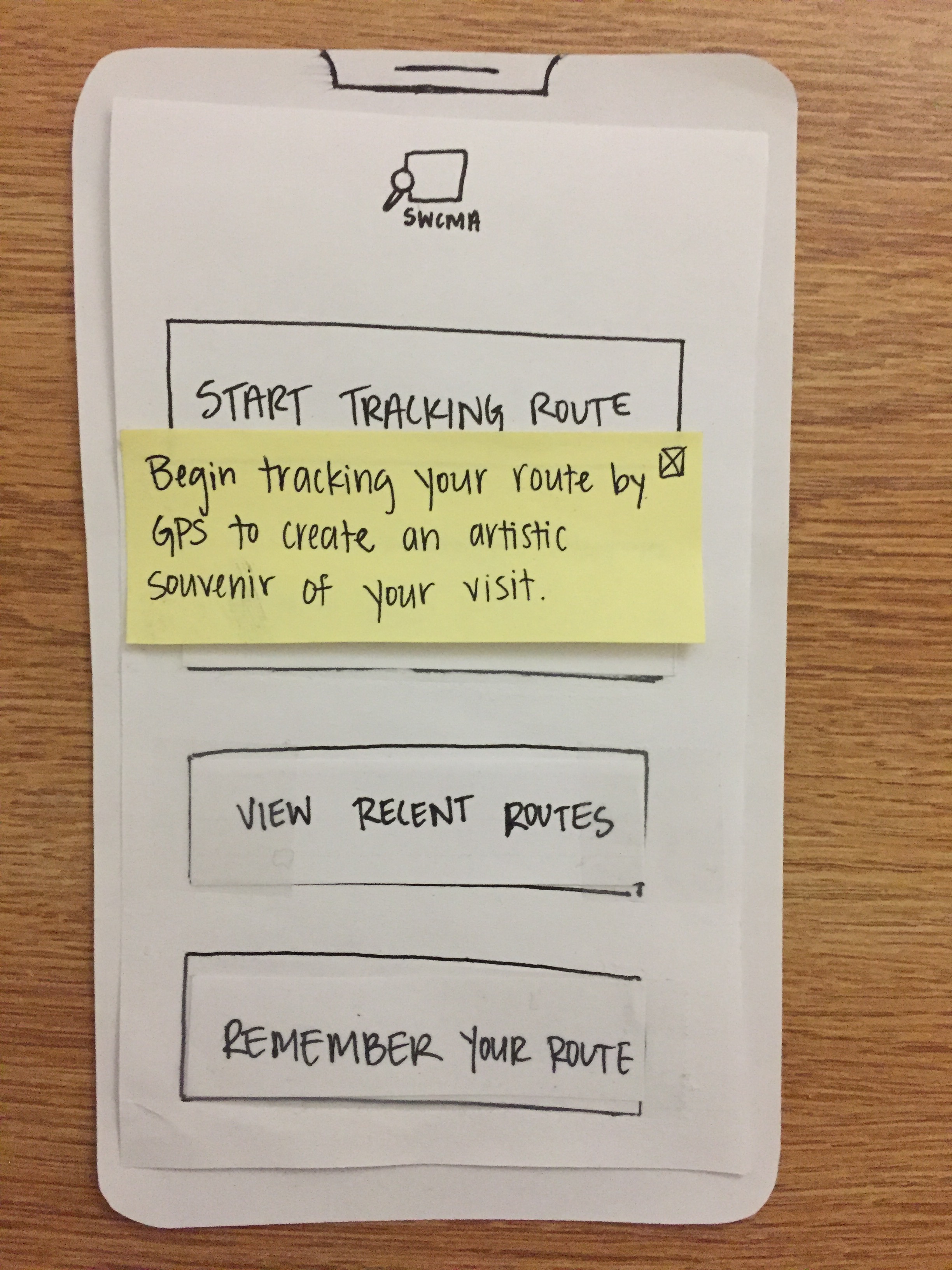
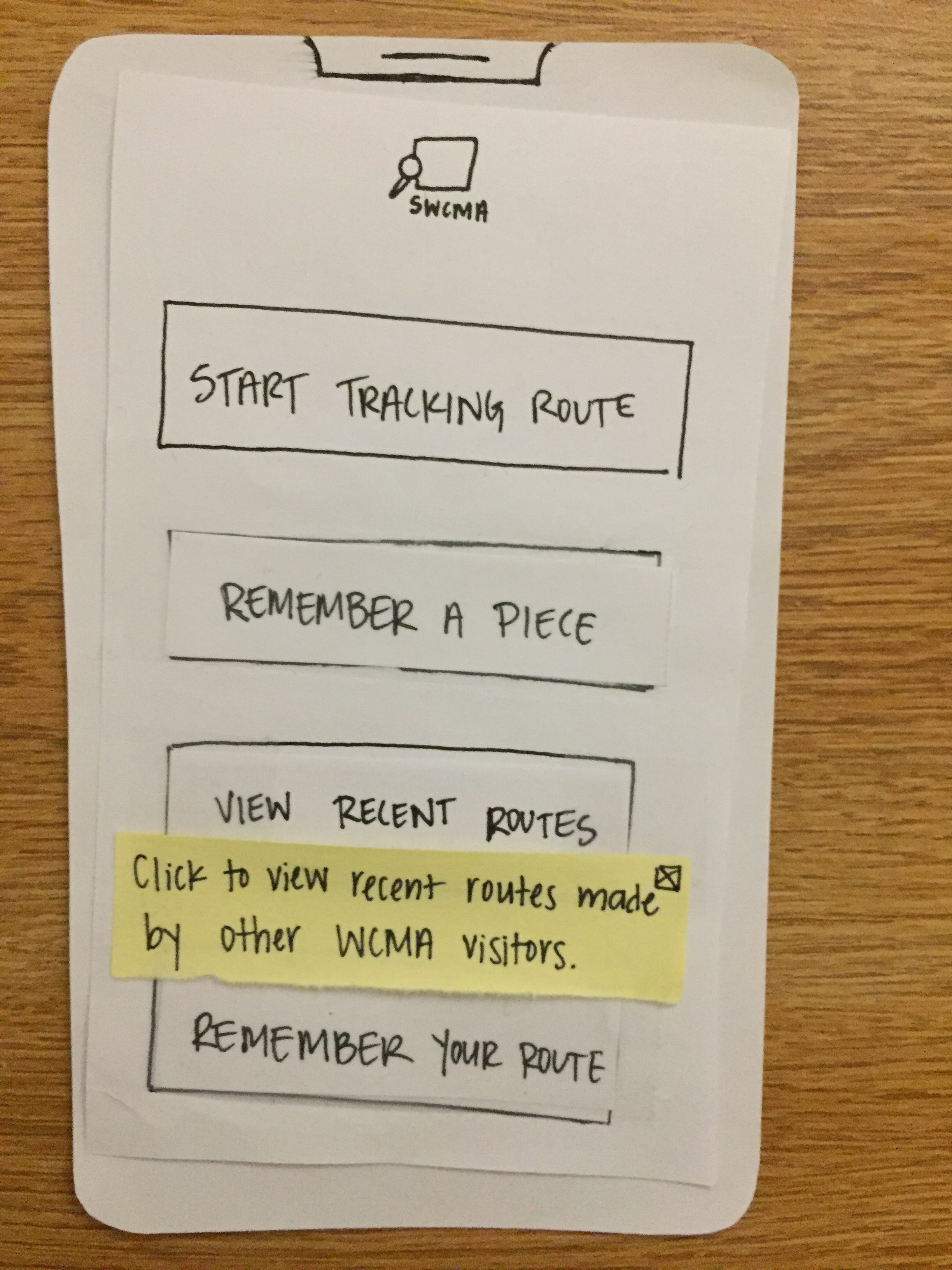
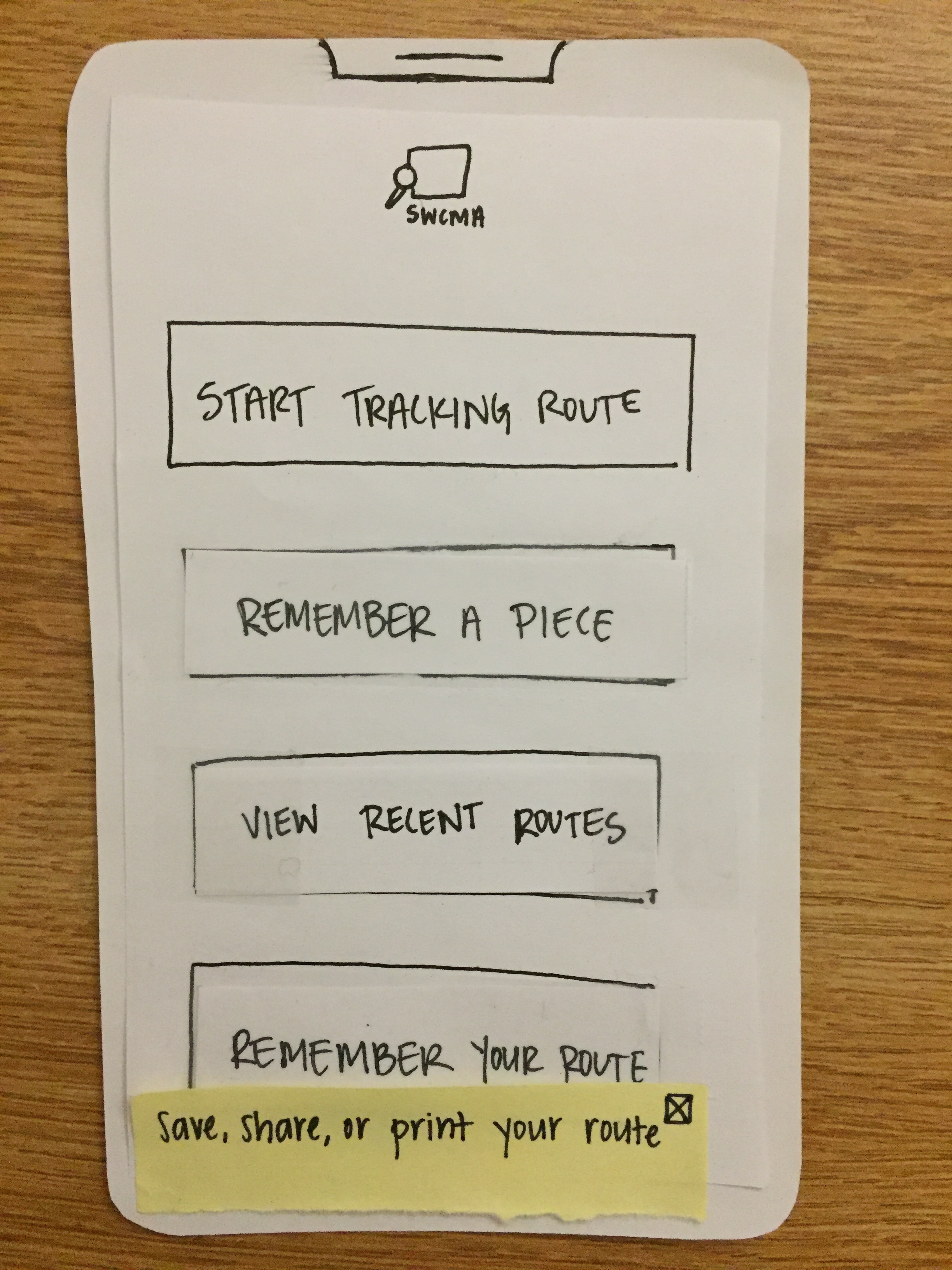
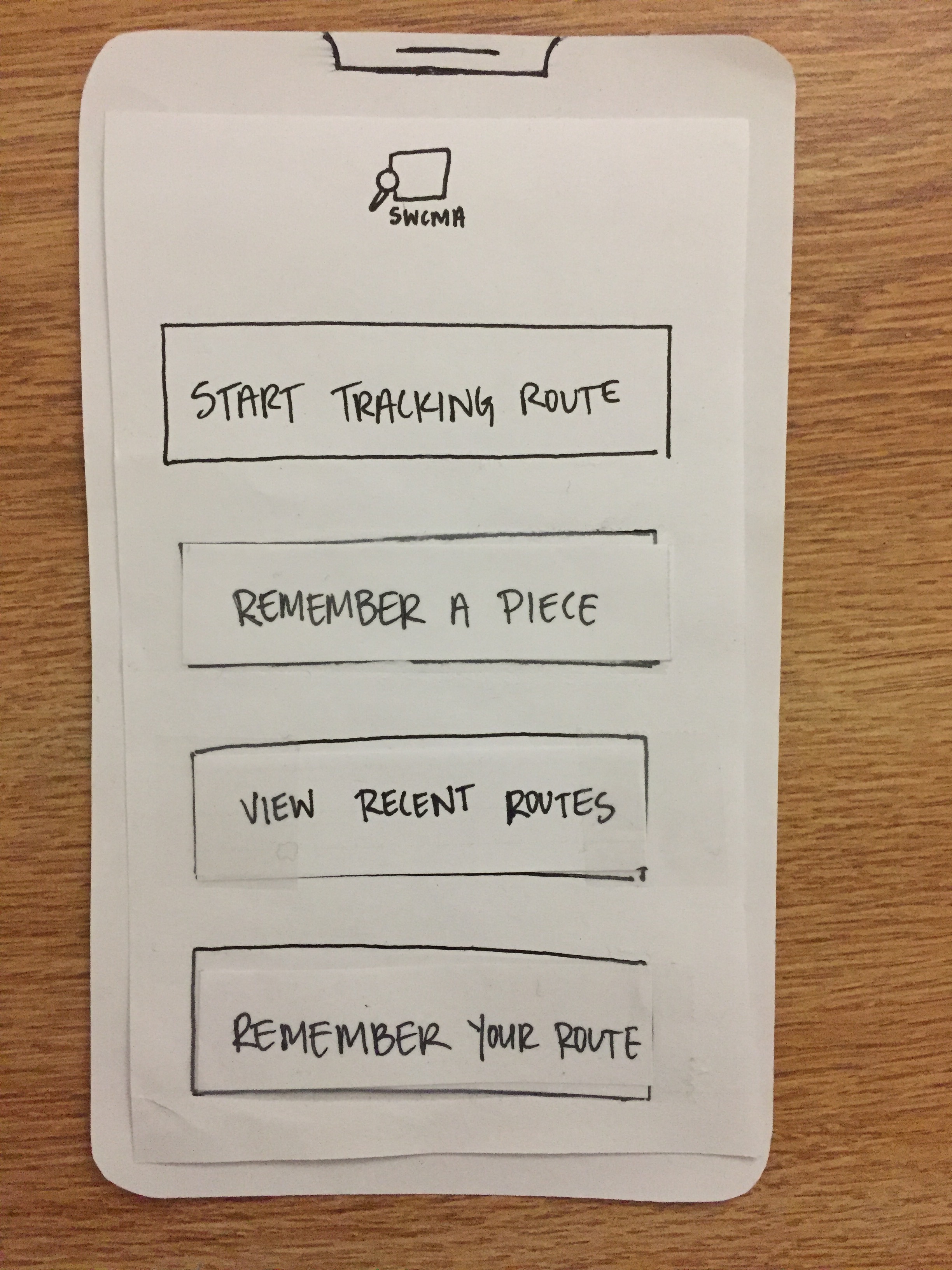
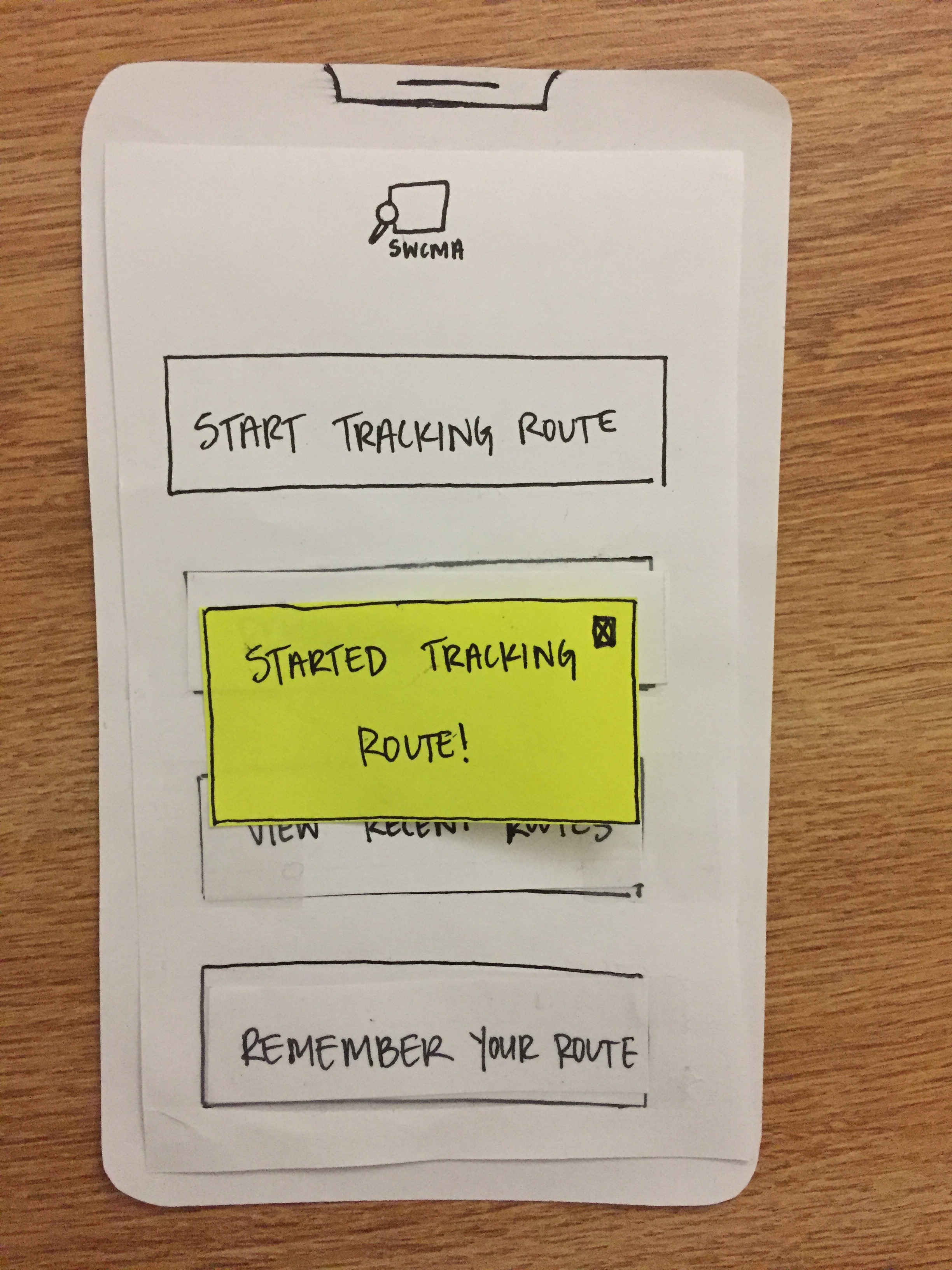
The “Start Tracking Route Button” changes to “Started Tracking” when clicked.
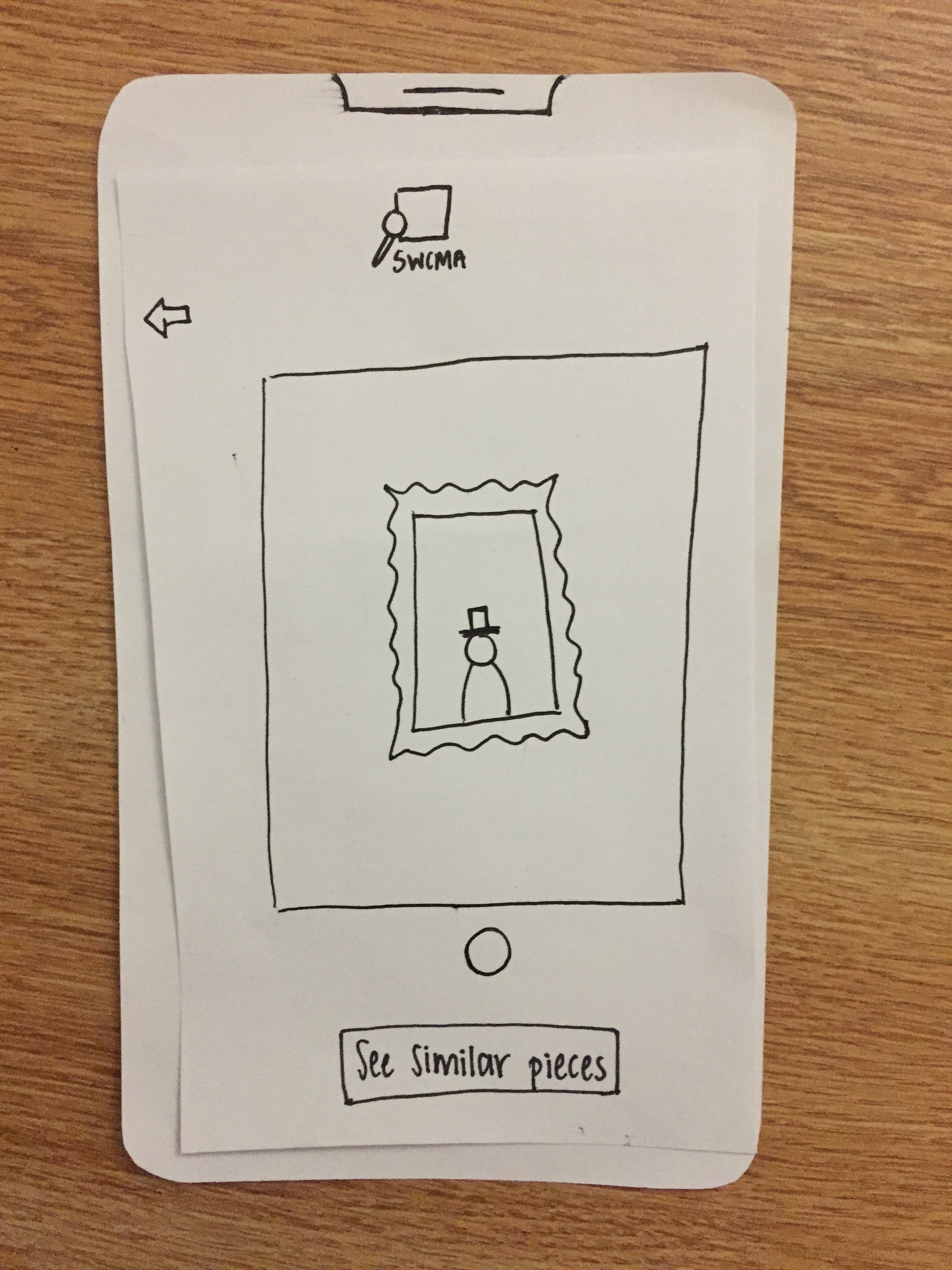 User takes picture of an interesting piece and opts to see similar pieces – an option previously located on the kiosks that was moved to mobile in the final prototype. Continued switching to mobile of these kiosk options to see similar pieces, routes containing them, and past routes is shown below.
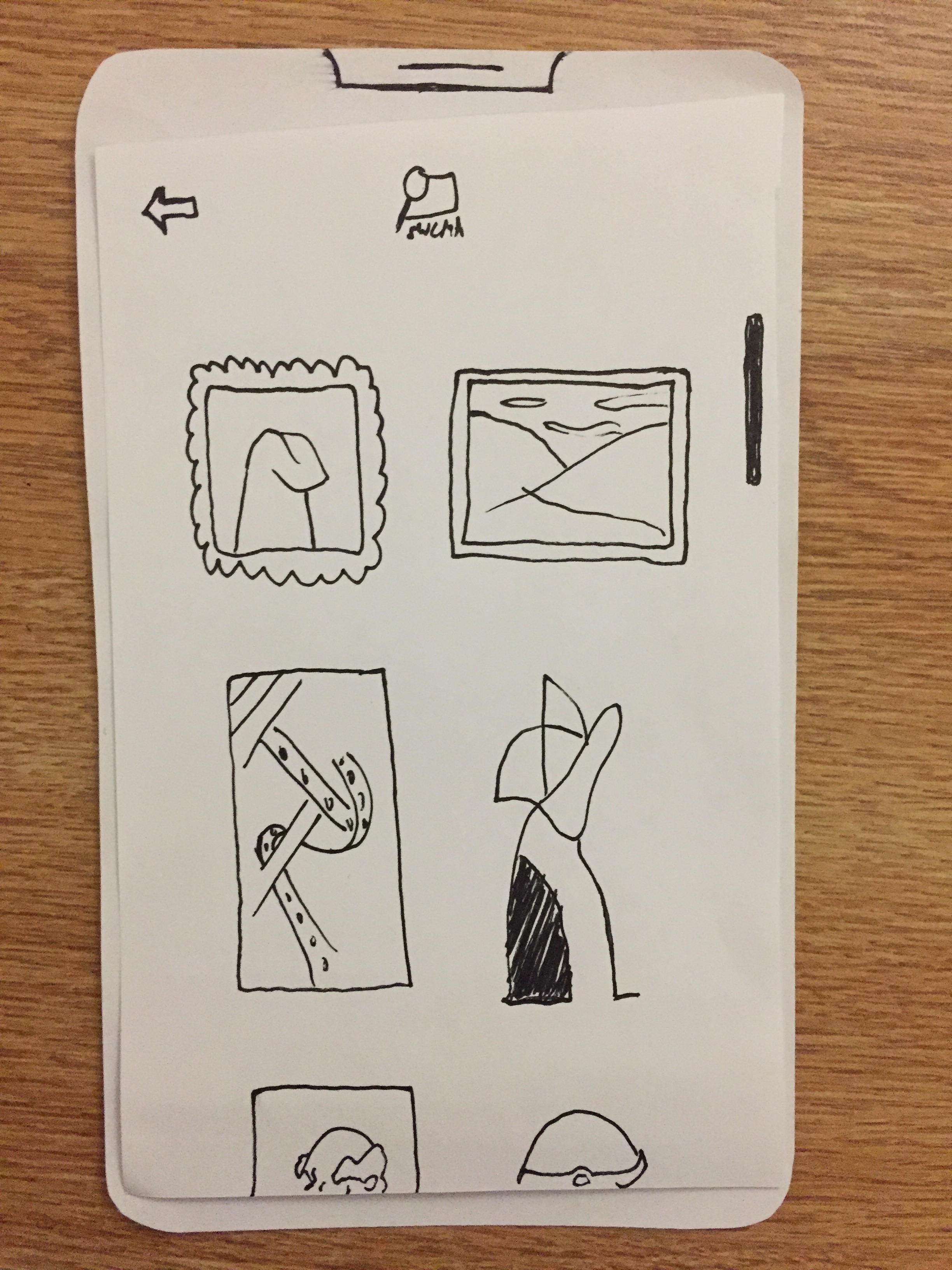
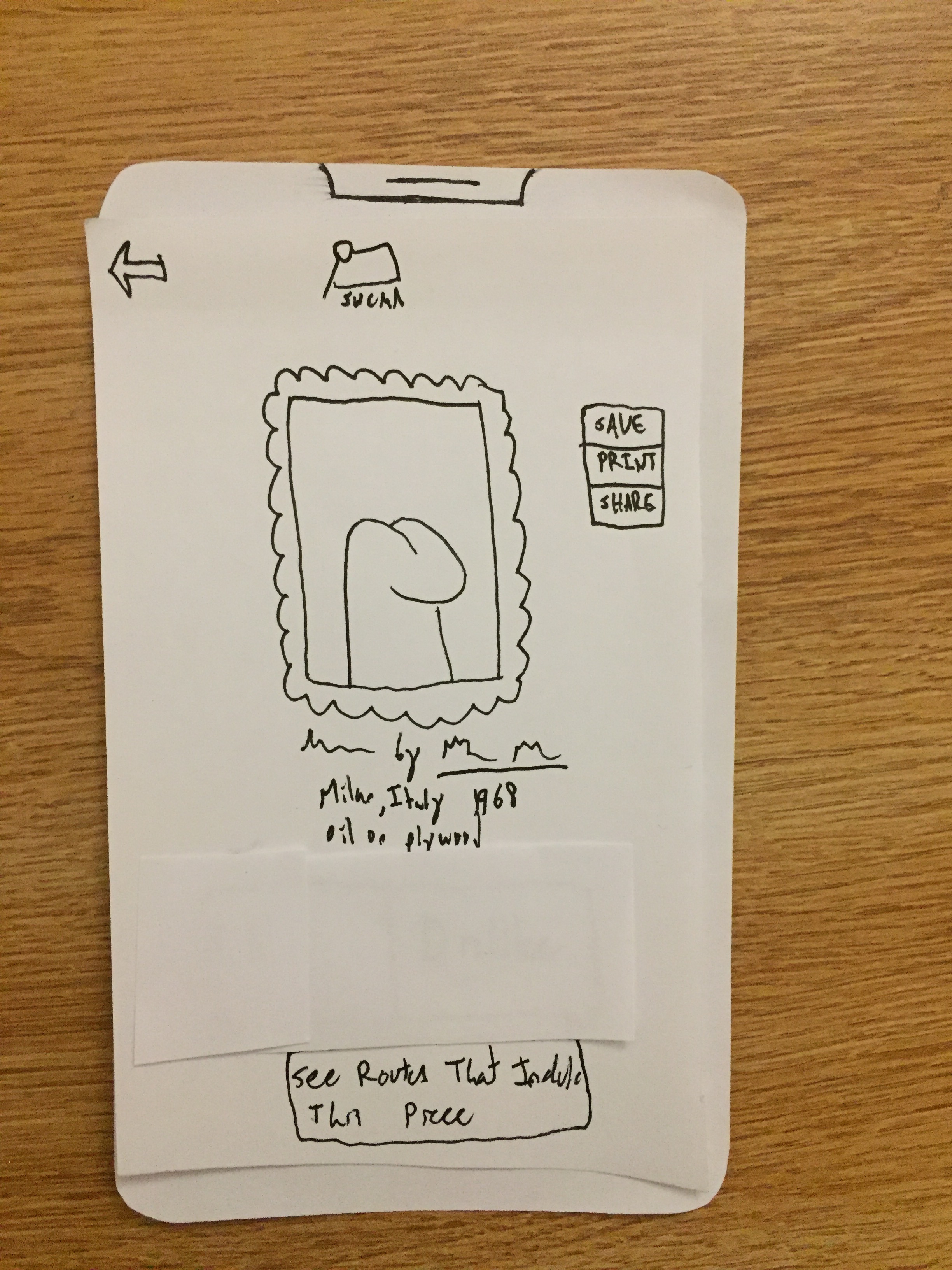
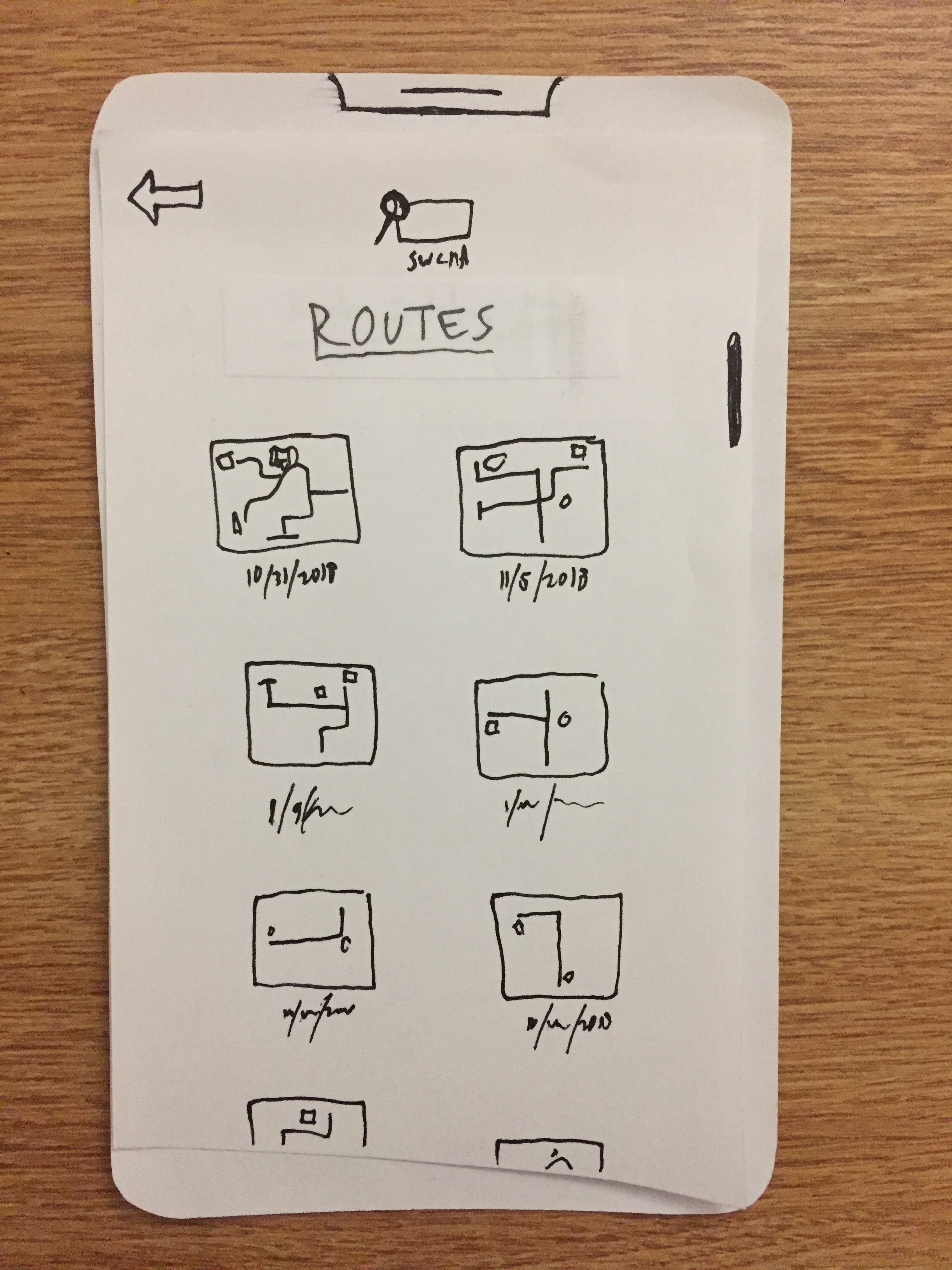 User sees routes that include the similar piece they selected
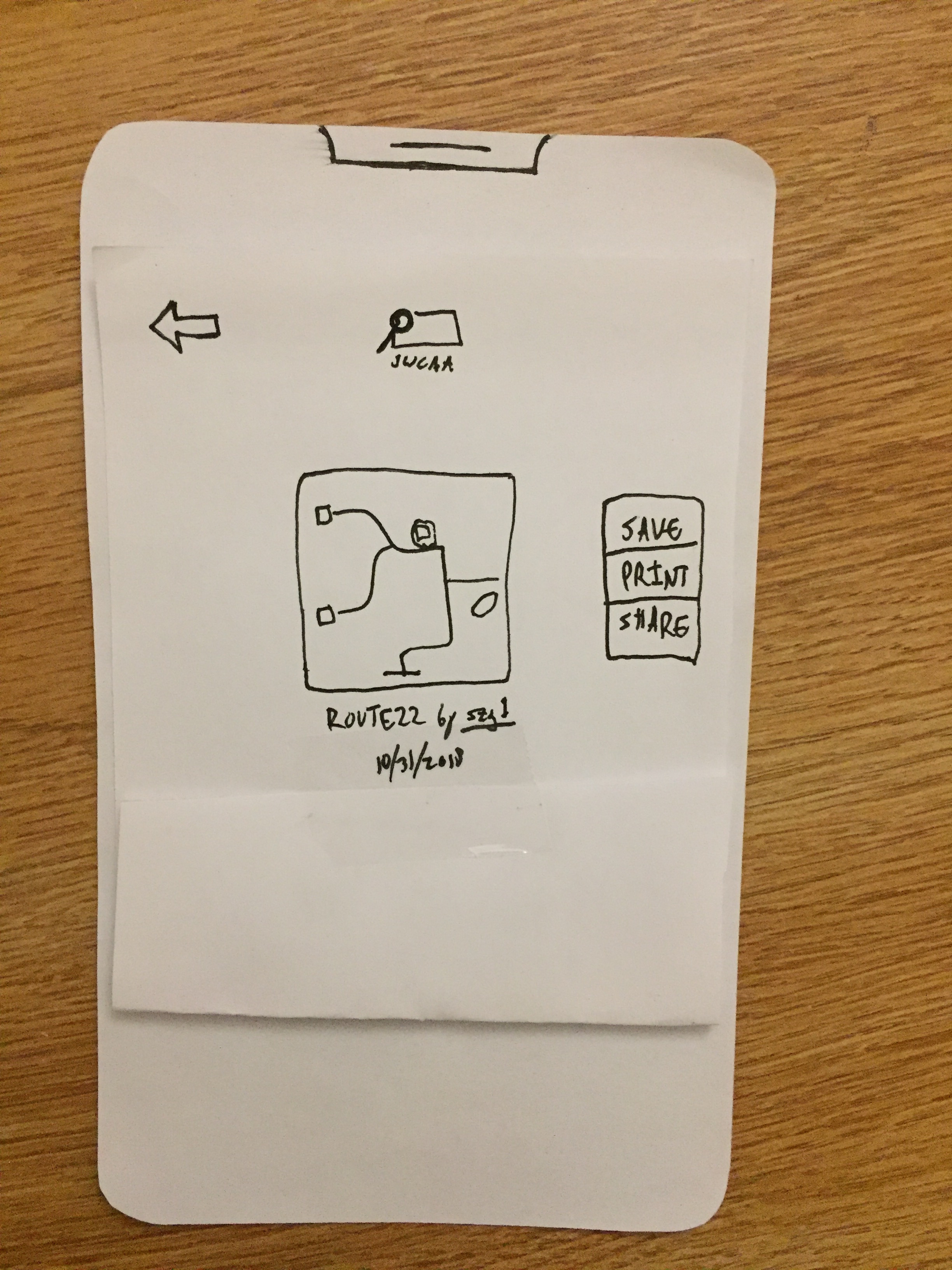
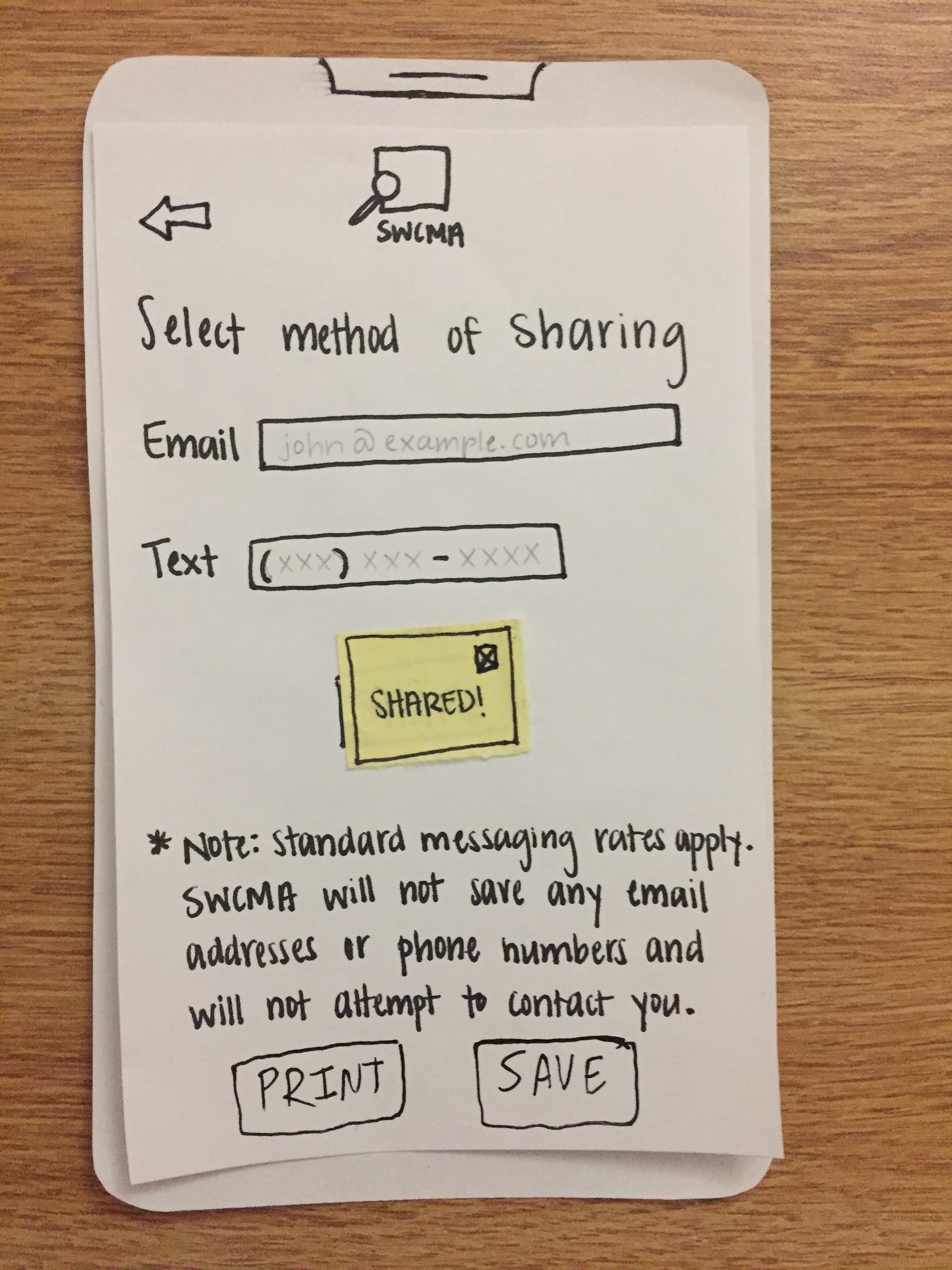
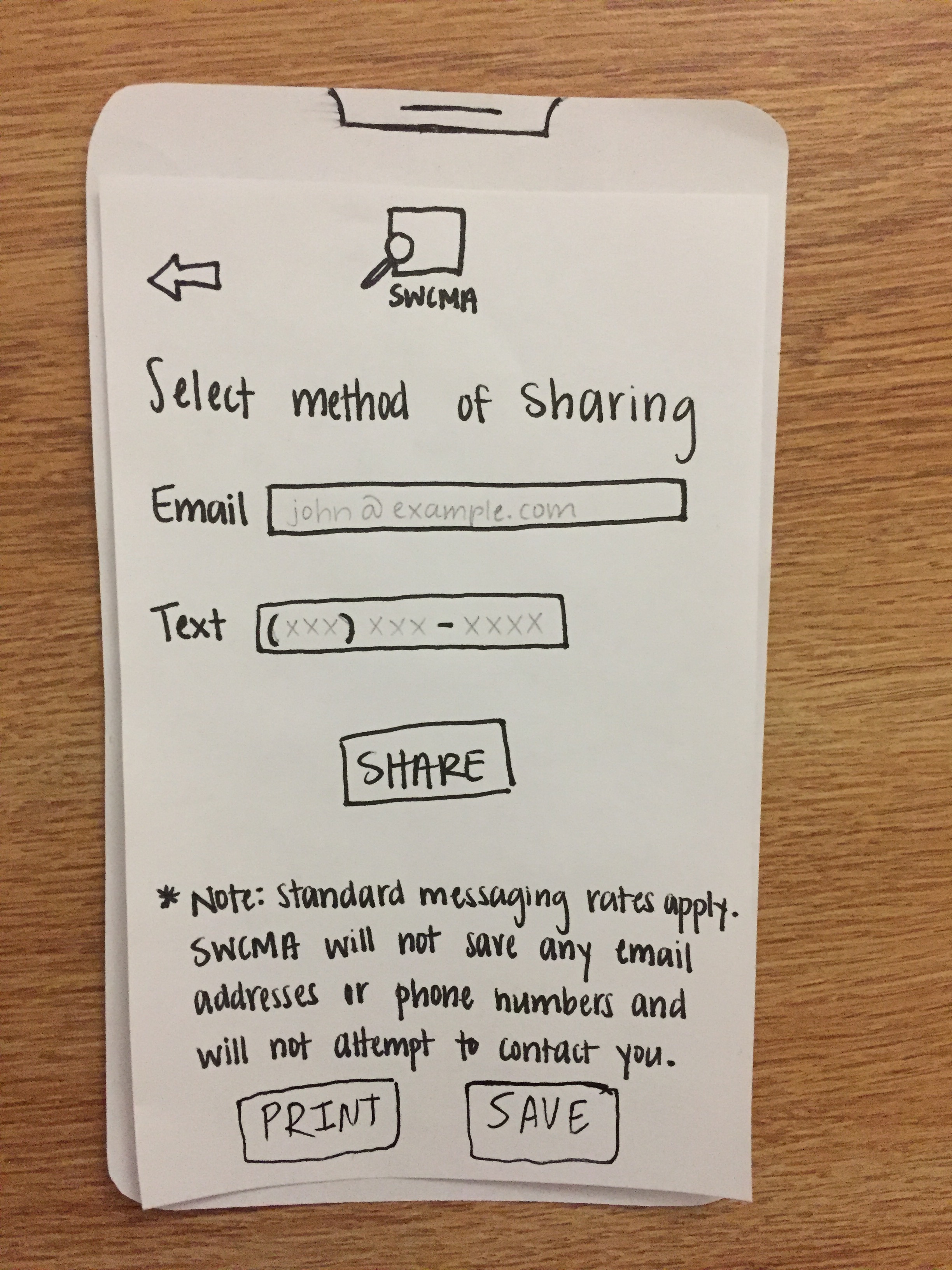 User shares a route they particularly liked
User views recent routes
User prints one of the routes they liked
The images comprise a complete walkthrough of the final paper prototype.
Digital Mock-Up
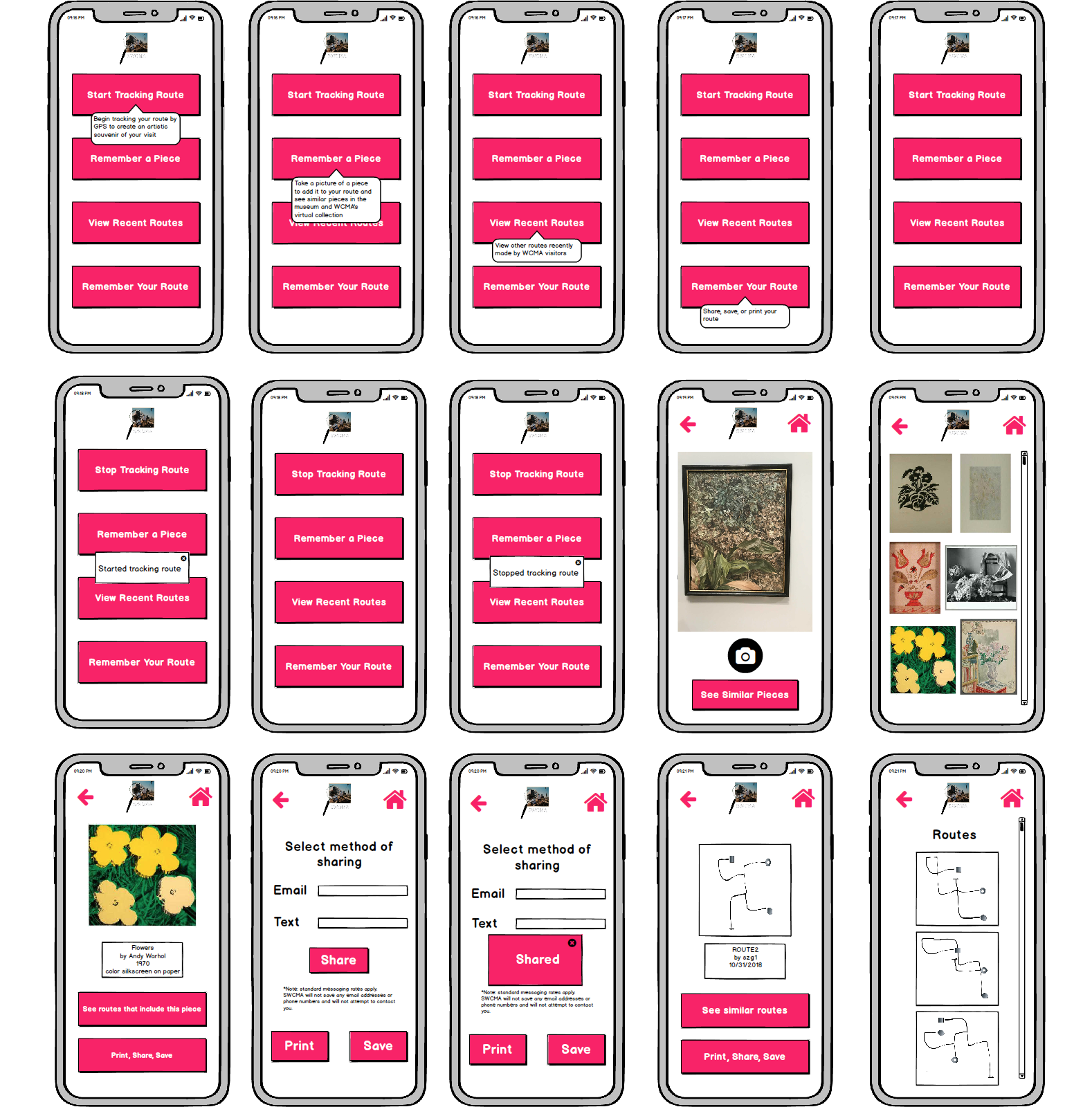
Our Digital Mock-Up is a slight upgrade from our Final Paper Prototype in terms of functionality. We added a home button, using a house icon, to the top right corner of every screen to allow the user the ability to return to the home screen at any time. We also toggled with the color scheme and use of white space in order to best direct the user to important design and functionality components and not overcrowd the screen while maintaining a design aesthetic that is consistent with WCMA’s general look. Our two main tasks remained the same. Our first task, “Continued engagement with the users favorite or most memorable pieces,” is achieved through the ability to track one’s route and find art that interests them. The app allows users to take pictures of pieces that would like to remember. They are then able to look at other similar pieces in the museum. These pieces can be shared via email or text. More importantly, and leading into our second task, “Agency in one’s museum experience,” users can then see similar pieces. If they find another piece that interests them, they are able to either share it or find a route that takes them by it in the museum. From the home screen users are also able to explore recent routes taken by other visitors to the museum, another way of exercising this task. In this way users are engaging with the art in an exhibit that fits their interests, and the museum is responding by allowing them to express that and bring them to more art they may enjoy. The control that can sometimes be enforced by winding hallways of a museum has now been placed firmly back in the hands of visitors.
Discussion
The iterative process allowed us to shape and reshape our design as we progressed through the project. Through our usability tests we were able to identify components, functions, and concepts that appeared trivial to us, but in fact gave the user a lot of difficulty or were obscure. For our project this initially meant altering our technological medium. Instead of combining a kiosk and app, we shifted solely to the app. Therefore our initial prototype differed greatly from our final prototype, where all the functionality was rolled into one interface. Not only did this help us with the functional layout of our design, but it also led us to change one of our tasks. Our vision of feeding curator inspired facts into one’s experience did not playout in the prototype as expected. Instead of being welcomed information, the “fun facts” mere presentation and existence within the app tended to seriously confuse users. For this reason we swapped our second task for one that more adequately matched both the functionality of the app and the user’s wants once using the app. In this way, although our formal task changed, our functionality had already accounted for its completetion, therefore more closely syncing user expectations and desires with the design.
It is possible that more iterations may have produced tweaks that would have made a “better” design, but through the iterative process taken our group was able to identify and overcome large obstacles in the design successfully. Any fewer and we may have not been able to flush out the changes that needed to be made. Overall, the process enlightened us to the fact that the mind of the designer rarely is equivalent to the mind of the user, and so we must always be precautious in assuming an automatic understanding of new and nontrivial tasks.