Usability Tests Overview
The three usability tests all took place in the same environment: a quiet, distraction-free room in Science Quad. This was done partially to try to keep testing environments consistent to eliminate confounding variables, and because the first test was successful in this environment so we opted to reuse it. A link to a description of the first test can be found here. After this first test, we changed our prototype drastically, removing the kiosk entirely and moving its functionality onto the app. For our second test, we had AA, a college student who is interested in art and museums, utilize our app under minimal constraints. We gave them a brief overview of the app’s purpose then simply prompted them to explore the app as they saw fit all while pretending to be wandering through WCMA. This lack of direction was actually very helpful in that it revealed some core misunderstandings in the purpose of our app. After this feedback, we decided to provide our next subject, AB with slightly more information so that we could actually gauge functionality and effectiveness of our app. AB is a community member (not a student) who is similarly interested in art, but is not well-versed in technology. Before beginning the test, we gave AB an overview of the functions the app provided, then let them explore freely with the intention of discovering and completing the various tasks of the app. In all three tests Casey acted as the app, switching the screens etc., while Sam took notes and prompted the user when necessary.
AA Usability Test
Incident 1, Severity 3
It took AA a while to begin tracking their route because they were confused by the burron “Route Options”. They thought this button might lead them to possible routes they could follow through the museum, instead of allowing them to begin tracking their route. Despite the help window that pops up, they still expressed great hesitation in pressing the button, resulting in not tracking their route from the beginning. The resolution to this incident is really quite simple. Instead of leading to a page with more options, the button will simply say “Start Tracking Route”, making it clear what the user is meant to do. Upon clicking the button, it’s label will switch to “Stop Tracking Route” so that users can ignore it until they finish their visit.
Incident 2, Severity 1
When given the option to share things such as routes or pieces of art, AA expressed that they don’t really have any interest in sharing with people that aren’t with them in the exhibit. While this may just be a personal preference (in which case we would still leave the sharing option), it did alert us to another potential change to make. Because AA wasn’t interested in sharing, she never pressed the button on the home screen labeled “Share/Save/Print Your Route”, which in turn kept her from printing or saving her route which may be of more interest. Given this aversion to sharing, we decided to relabel the button “Remember Your Route” which we hope will encourage people to click on that option and in turn leave their visit with some memento of their route, which is ultimately one of our main goals with the app.
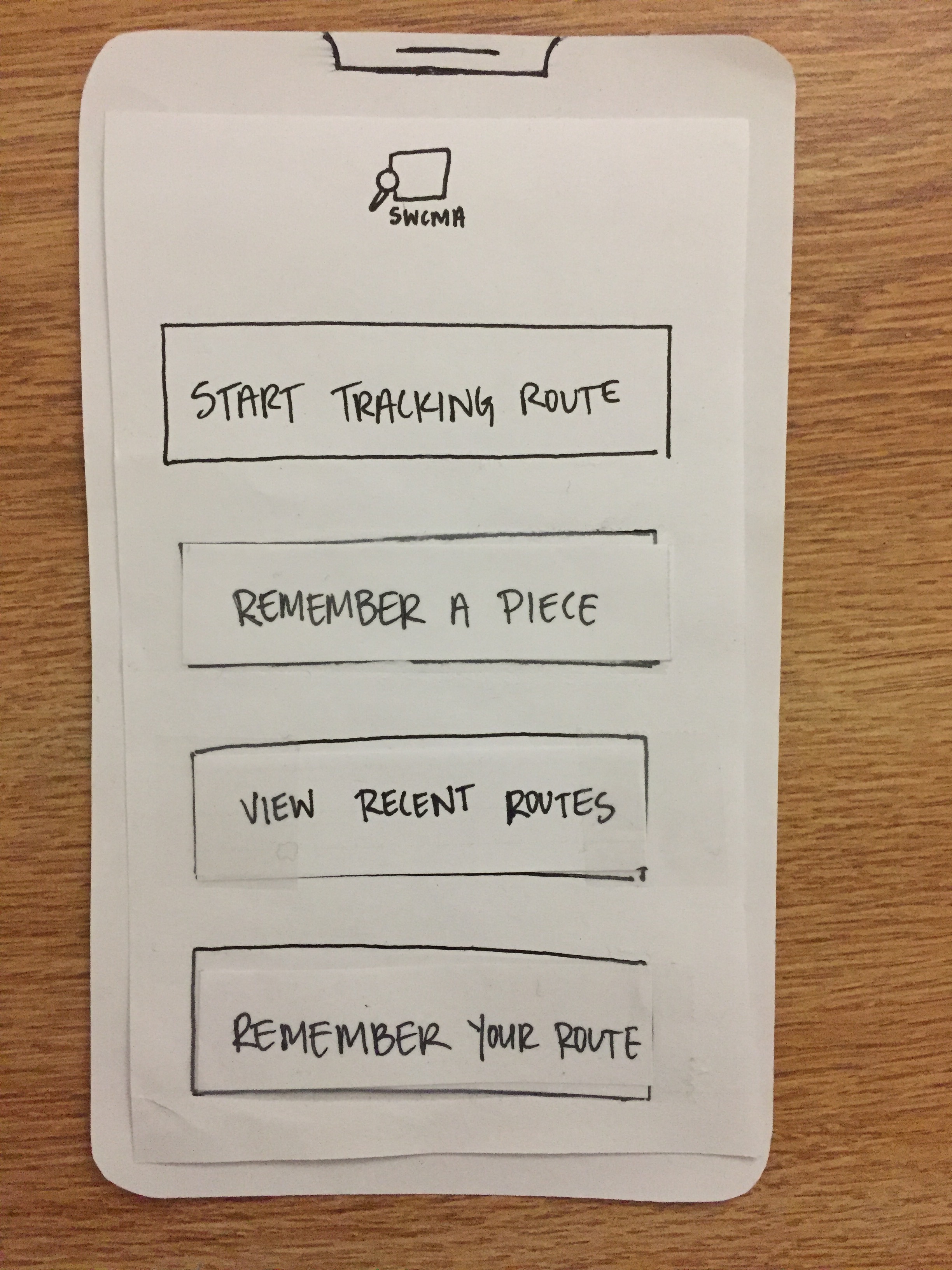
Updated Home Menu as a result of the two above incidents:
AB Usability Test
Incident 1, Route Tracking, Severity 3
AB was confused about why they were tracking their route and why this was the only thing under route options besides enabling curator notifications (which also proved to be part of another separate incident). They did not realize that choosing to track their route was the way for them to tell the app to build their personalized route map that they will ultimately be able to save and share as a way to remember their visit and the works that they saw. This issue has been resolved by eliminating the “Route Options” button and replacing it with a button that says “Start Tracking Your Route” on the same page as the “Remember Your Route” button that will be used to save, print or share the route at the end of the visit. Clicking “Remember Your Route” before tracking it will result in an error message explaining that tracking is necessary to save the route.
Updated Home Menu:
Incident 2, Like Confusion, Severity 2
AB said that they did not understand why there was an option to like or dislike works and expressed confusion about why other people’s likes were not visible. They also attempted to like a work while viewing a route that includes that work and instead liked the route. After much consideration, we realized that the like/dislike function was a vestige of a previous design that used the users’ reactions to build a route for them to follow. Since our design merely shows them an interpretively designed route that shows their visit, we have decided to eliminate the like/dislike function for art pieces and routes.
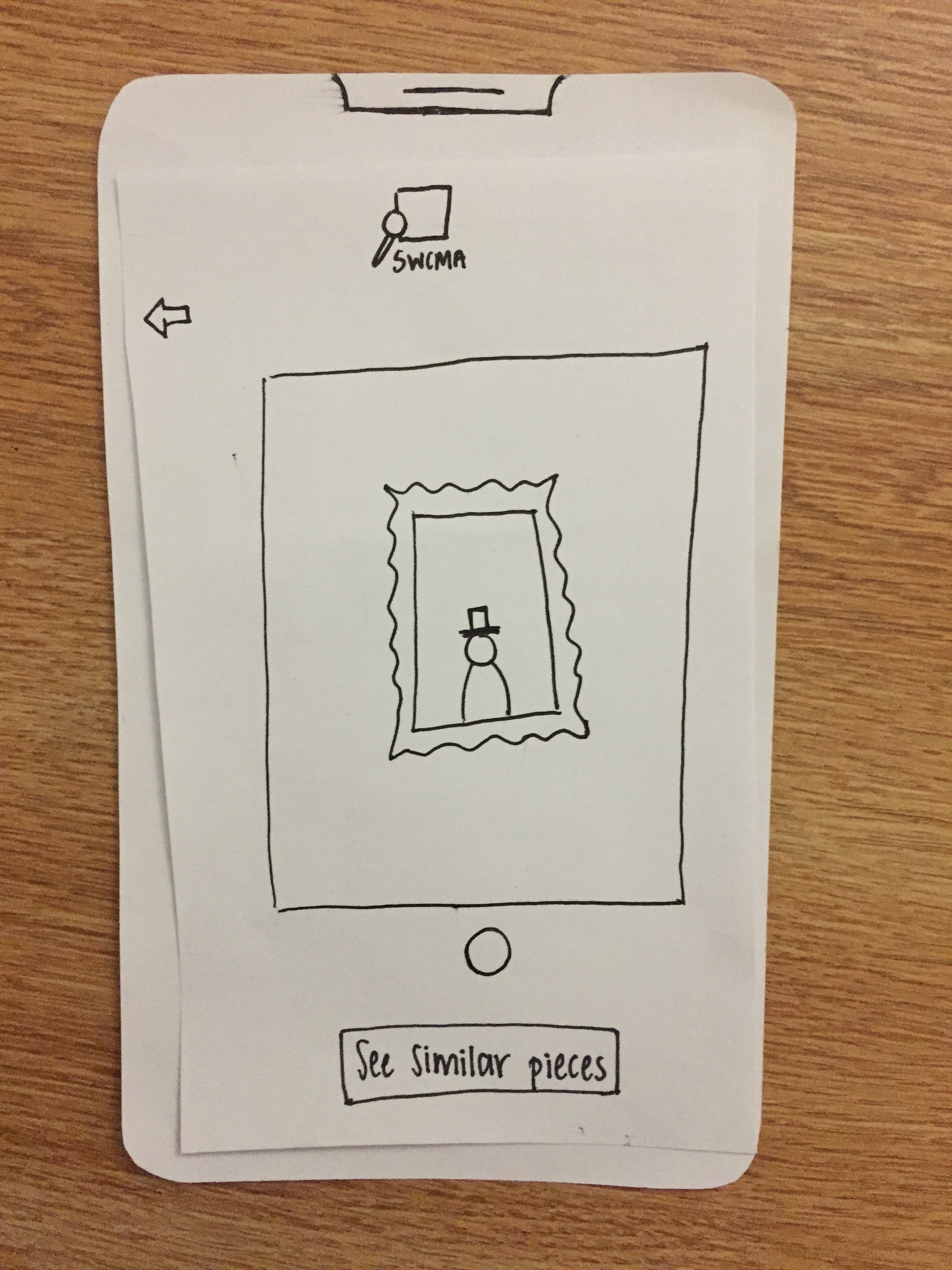
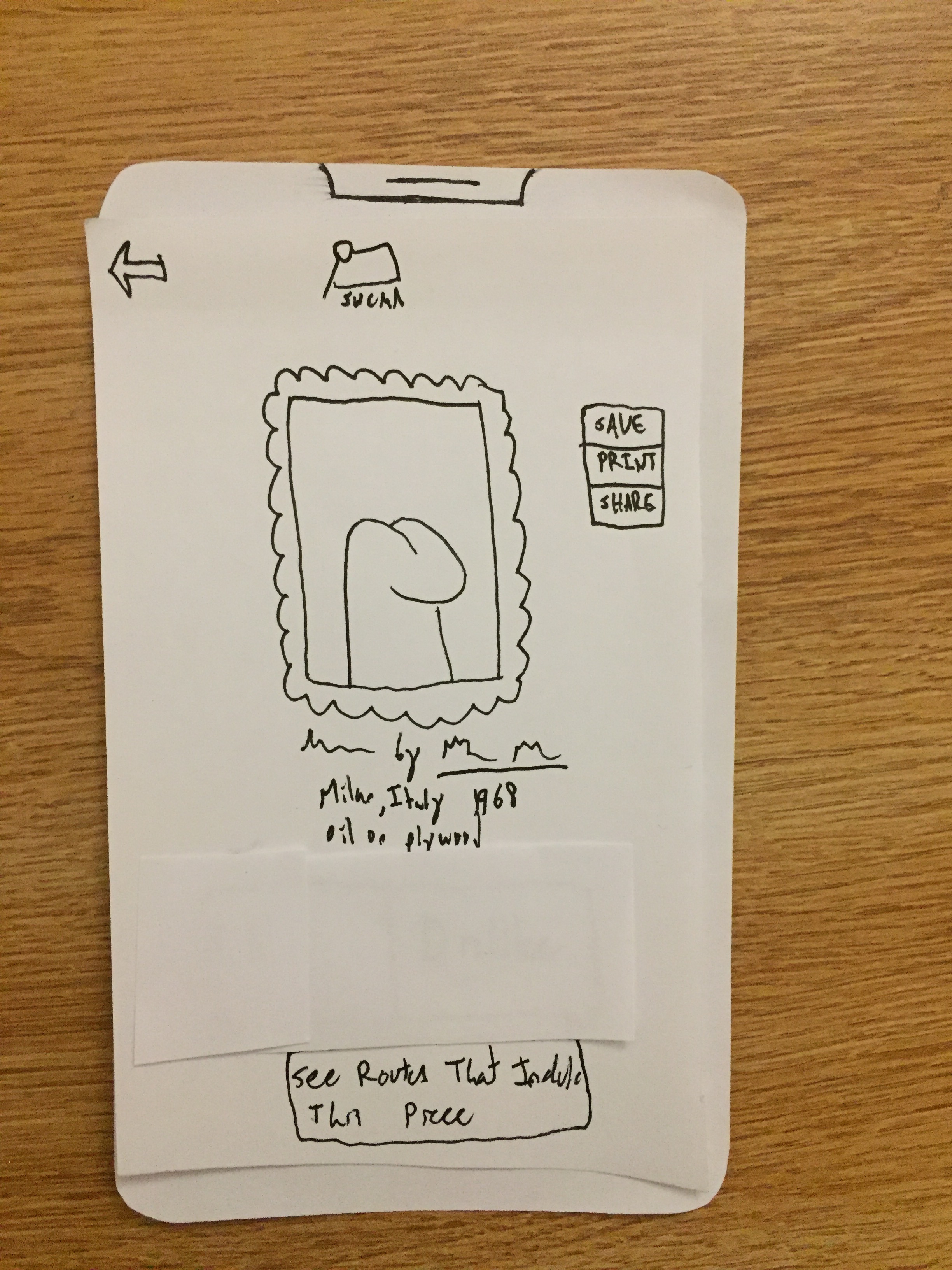
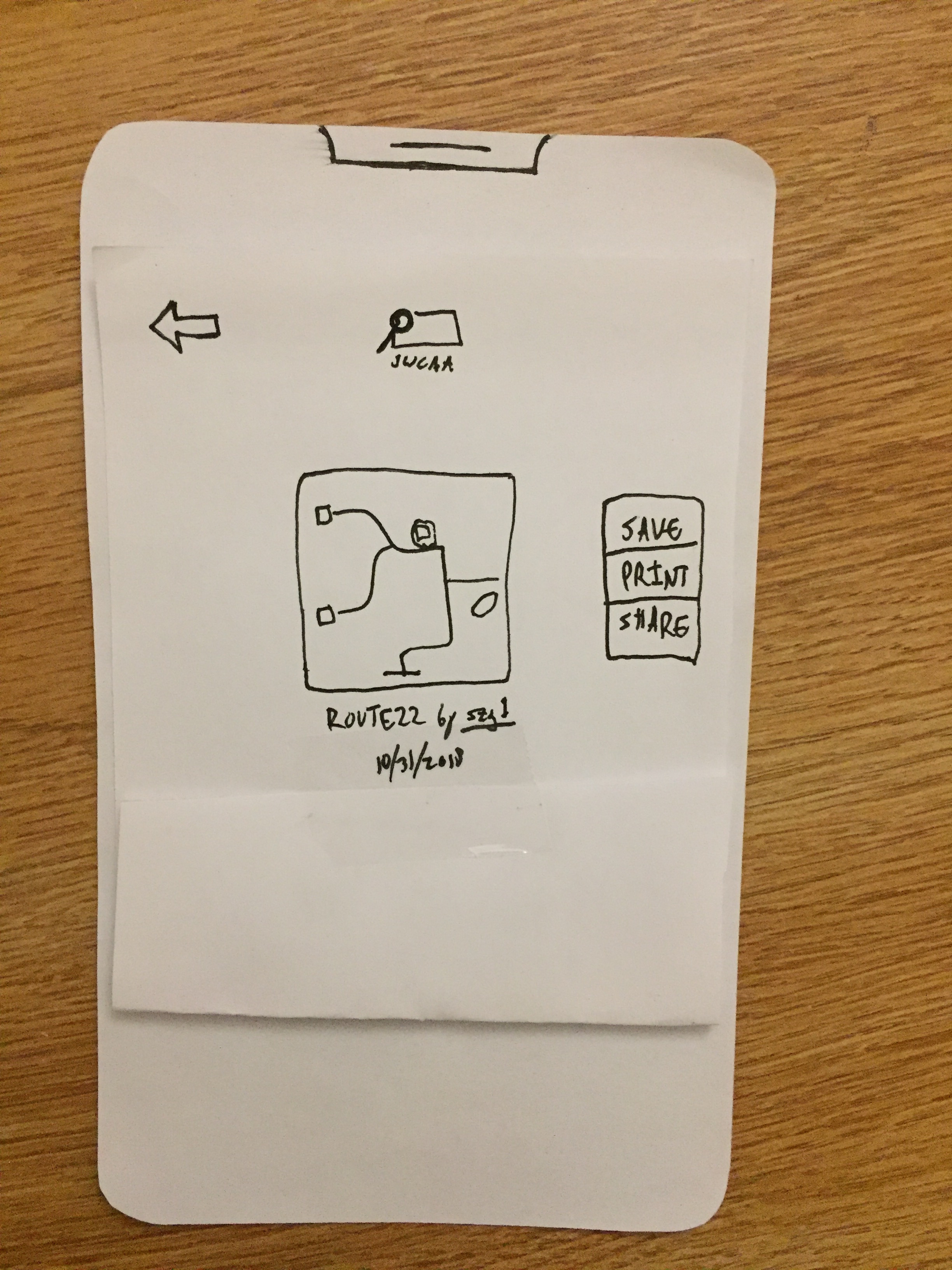
Incident 3, Back vs. Home Button Confusion, Severity 1
AB tried to go back to the home page but clicked the back button instead and was forced to click it three times before returning home. They did not realize that the SWCMA logo at the top was a button that will return them to the home page. This has been resolved by adding a “Home” icon to the SWCMA logo to indicate that it can be clicked to return to the main page (because of technical difficulties, the current prototype photos do not reflect this small change; we will be sure to add this change to our digital mockups).
Incident 4, Never Enabled Curator Notifications, Severity 3
AB did not notice this option in the “Route Options” menu and had no interest in using this app to learn more about curator intent. They also expressed that they would not want to share such notifications with people who were not at the museum with them. Additionally, they seemed confused about how this option related to the option for recording and saving their route. Upon further consideration, we decided that this option did not connect well to our overall design and have elected to change one of our tasks from “Learning about the curator’s perspective” to “Continued engagement with the museum/the user’s favorite pieces” as this is more in line with our option to save routes and look at other people’s past routes.
Results
Our usability tests have allowed us to glean crucial information that led us to decide that our app’s purpose has become too muddled with different features that distract and confuse the users from the overall goals of increased agency and memorability regarding their museum experiences. We have decided to greatly simplify our functionality and interface so that it is clearer what the user can do and why.
We have decided to remove the option for “Curator Notifications” as described in the above list. This decision was based on user confusion about what they are for and where that option is located as well as a general sense that it does not relate to the rest of the app’s functionality. Our decision to remove this option along with our observation that the “Route Options” button confused users who expected it to give them options for what route to take through the museum led us to change the “Route Options” button from one that leads to a menu to a simple toggle “Start Tracking Route” button that allows users to begin and end their route from the home page.
User confusion about the purpose of likes and dislikes in our product prompted us to consider the origin of that feature and decide that it was no longer necessary and that it detracted from the user experience. A user’s reaction to a piece should not be forced into such a binary and should not be influenced by other people’s reactions (one user expressed confusion about expecting to see the number of likes and dislikes on pieces when inquiring about why she would want to like or dislike a piece). As such, we have decided to remove this feature to encourage users to use the save/print/share functions – these functions relate more directly to the goal of continued engagement with the museum after leaving.
Overall, we have changed our prototype by removing two features determined to be unnecessary and distracting (curator notifications and liking/disliking) and have also redesigned our home page so that it is more clear what the remaining features are meant to do. By changing the “Save/Share/Print Your Route” button on the home page to say “Remember Your Route” we have clearly stated to users that this app is meant to give them a virtual (or physical, should they decide to print) map of their museum experience as with our choice to change the “Review a Piece” button to say “Remember a Piece”. By making the button for “Start Tracking Your Route” immediately visible on the home page we have eliminated the need for a “Route Options” menu and have removed confusion about what such a menu would afford. We hope that streamlining this interface and adding descriptions that relate more directly to our tasks will make the experience of using our product more comfortable for users who wish to gain increased agency in their museum experience and how they remember it for years to come.